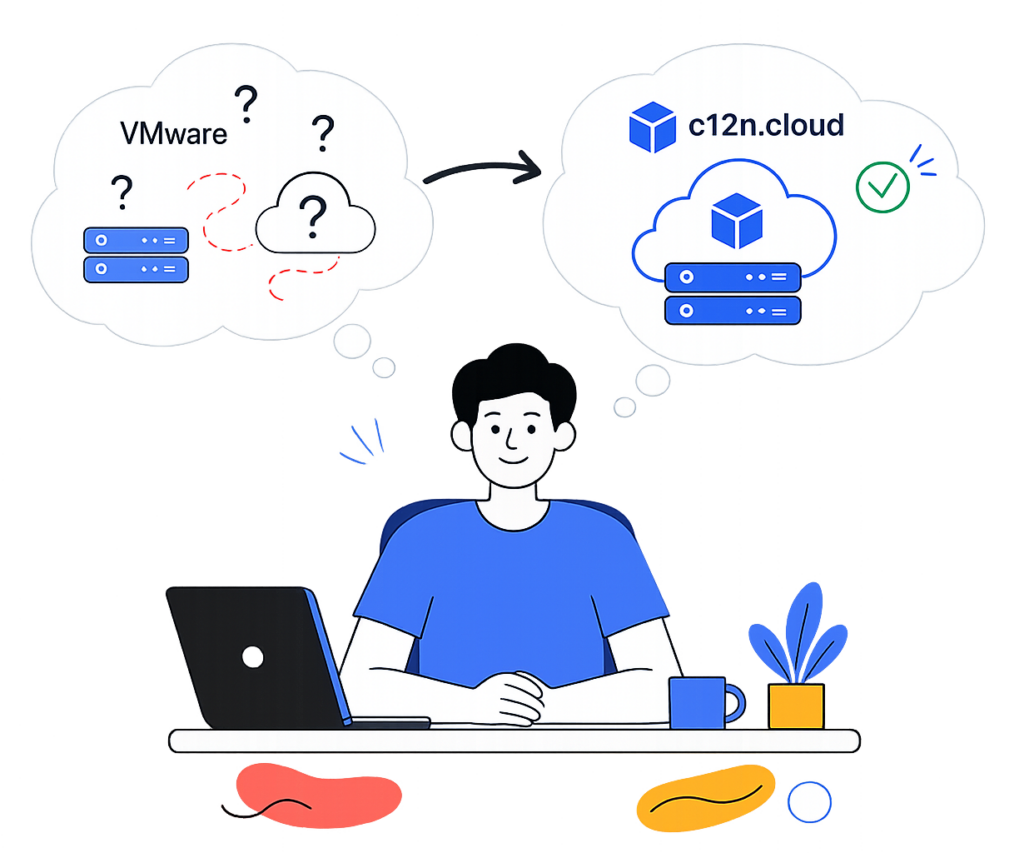
Migration von VMware zu OpenStack – ohne Vendor Lock-in und steigende Lizenzkosten

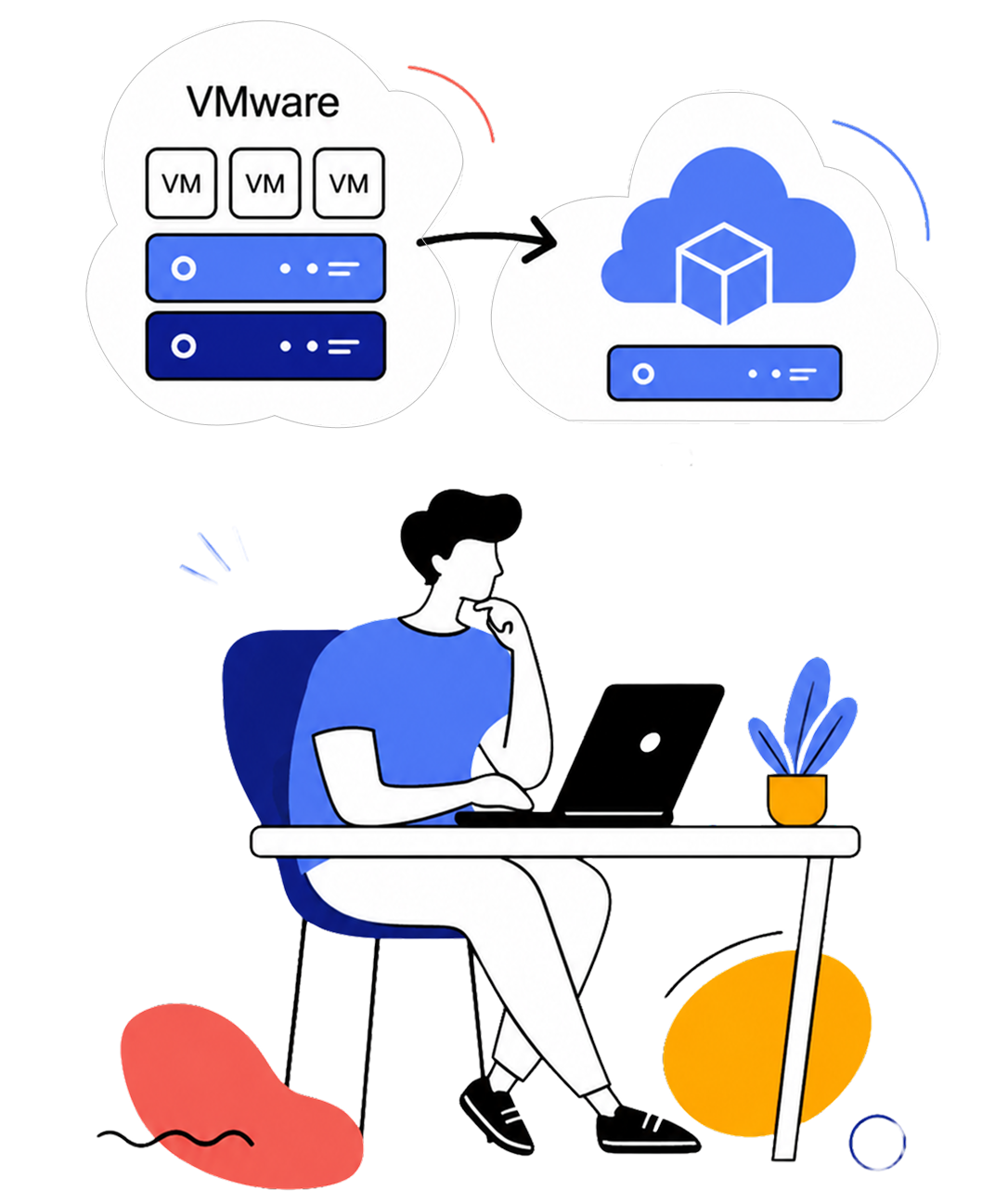
Wir unterstützen Unternehmen bei der sicheren Migration von VMware zu OpenStack – ohne grundlegende Änderungen an der bestehenden Infrastruktur.

Enterprise-OpenStack-Infrastruktur
für den Umstieg von VMware

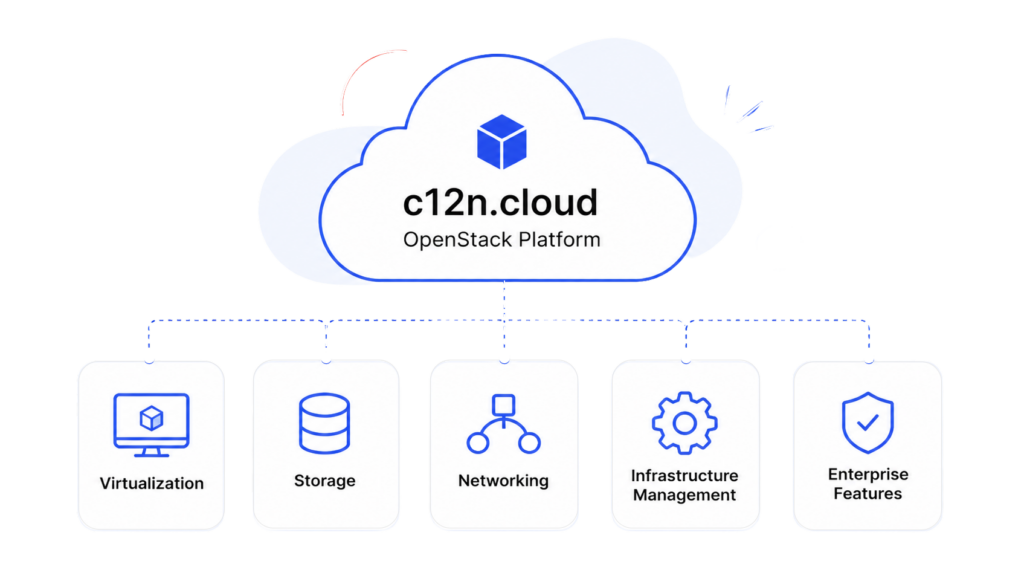
c12n.cloud ist eine produktionsreife OpenStack-Plattform für Unternehmen, die skalierbare Private- und Hybrid-Cloud-Umgebungen aufbauen.

Die Plattform vereint Virtualisierung, Storage, Networking und Infrastrukturmanagement in einer Lösung für Enterprise-Migrationen und langfristiges Wachstum.

Warum von VMware zu OpenStack migrieren?

Unternehmen evaluieren OpenStack und Open-Source-Cloud-Lösungen meist dann, wenn sie mehr Flexibilität, Infrastrukturkontrolle und planbare Skalierung benötigen.

Typische Ziele:
  • Abhängigkeit von einem einzelnen Anbieter reduzieren
  • Flexible Private- und Hybrid-Clouds aufbauen
  • Skalierbarkeit der Infrastruktur verbessern
  • Auf Kubernetes und Cloud-native-Workloads vorbereiten
  • Mehr Kontrolle über die Infrastruktur gewinnen
  • Wiederkehrende VMware-Lizenzkosten vermeiden
Group 1 (4)

Was bei der Migration meist erhalten bleibt

Eine der größten Sorgen bei einer VMware-Migration ist die Annahme, dass die gesamte Infrastruktur neu aufgebaut werden muss. In der Praxis erfolgt die Migration meist schrittweise und vorhandene Hardware kann oft weiter genutzt werden.

Je nach bestehender Architektur können Unternehmen oft übernehmen:
Bestehende VMs mit Daten

Teile der Netzwerkarchitektur

Aktuelle Workloads

HCI- und Drittanbieter-Storage

CI/CD-Prozesse

Betriebsabläufe

Monitoring & Automation

Bestehende Integrationen
Eine Migration muss außerdem nicht „auf einen Schlag“ erfolgen. 

In vielen Fällen sind eine schrittweise Migration und der Parallelbetrieb beider Plattformen möglich.

So läuft eine VMware-Migration typischerweise ab

Jede Infrastruktur ist unterschiedlich. Dennoch erfolgt die Migration meist schrittweise – mit Risikoanalyse, Abhängigkeitsprüfung und Rollback-Optionen.

Typischer Migrationsablauf:
1. Analyse der bestehenden Infrastruktur
2, Bewertung der VMware-Abhängigkeiten
3. Planung der Zielarchitektur
4. Vorbereitung der OpenStack-Umgebung
5. Paralleler Infrastrukturbetrieb
6. Schrittweise Workload-Migration
Performance- und Failover-Tests
8. Unterstützung nach der Migration
Während der Migration bewerten Unternehmen üblicherweise:

Ausfallszenarien

Migrationsrisiken

Rollback-Strategien

Migrationsoptionen
Produktionsreife

Zielplattform für Enterprise-Workloads validieren
c12n.cloud ist produktionsreif für Private-Cloud-Umgebungen:

Virtualisierung
Storage
Networking
Kubernetes as a service
Automatisierter Betrieb

Enterprise-Infrastrukturfunktionen

Für produktive Private-Cloud-Umgebungen entwickelt

Infrastrukturfunktionen
  • Hochverfügbar
  • Live-Migration von VMs
  • Verteilter Storage
  • Lastverteilung
  • Kubernetes as a Service (KaaS)
  • GPU-, vGPU- und MIG-Unterstützung

Betrieb & Management
  • Verteilter Storage
  • Monitoring und Alarmierung
  • Zentrales Logging
  • Hardware-Inventarverwaltung
  • Horizontale Skalierung auf 100+ Nodes

Storage & Networking
  • Block-, File-, Objekt- und S3-kompatibler Storage
  • Über 30 unterstützte Storage-Lösungen
  • Virtuelles Networking / SDN
  • Redundante HA-Architektur

OpenStack-basierter Infrastruktur-Stack

c12n.cloud basiert auf bewährten Open-Source-Technologien wie OpenStack, Kubernetes, Ceph, ArgoCD, MaaS, Prometheus und weiteren Komponenten für skalierbare Private-Cloud-Umgebungen.

Tools zur Migration von VMware

Verschiedene Migrationswerkzeuge helfen dabei, Ausfallzeiten zu reduzieren und den Wechsel von VMware zu OpenStack zu vereinfachen.

Linux Logo
Virt-V2V

Open-Source-Tool zur Konvertierung von VMs von VMware ESXi und XEN auf den KVM-Hypervisor. Teil der Linux-libguestfs-Bibliothek.
MigrateKit

Open-Source-Tool von VEXXHOST für Migrationen von VMware zu OpenStack mit minimaler Downtime.

Coriolis

Kostenpflichtiges Tool von CloudBase für bidirektionale VM-Migrationen. Unterstützte Plattformen sind u. a. OpenStack und VMware.

VMware vs. c12n.cloud

DETAILIERTER VERGLEICH 🔍
Num VMware c12n.cloud
1
VMware vSphere (Hypervisor ESXi)
OpenStack Architektur & (Hypervisor KVM)

Key features:
(subject to subscription type and extra costs)

  • Web console
  • VM Live migration (vMotion)
  • Volume migration (Storage vMotion)
  • Clustering/HA for Control plane
  • Backup Integrations
  • Auto-rescheduling for VMs (VMHA)
  • Hot plug and extend (Net devices/volumes)
  • Site-to-site VM migration

Comparable features:
(subject to integration of additional components)

  • Web console – yes
  • Live migration – yes
  • Volume migration – yes
  • Control plane HA – yes
  • Backup-Integrations – yes
  • VMHA – yes(1)
  • Hot plug and extend (Networks/Volumes) – yes
  • Site-to-site VM migration – yes(2)

1 OpenStack provides VMHA functionality with Masakari
2 When OpenStack control plane stretched across DCs

2
VMware NSX (VCF + VMware Firewall)
OpenStack Neutron

Key features:

  • Switching (Layer 2 networks over Layer 3)
    • Within data center
    • Across data centers
  • Routing
    • Distributed routing
    • Active-active failover with physical routers
    • Static routing
    • Dynamic routing
    • IPv6 support
  • Virtual routing and forwarding (VRF)
    • Tenant isolation
    • Separate routing tables
    • NAT
    • EDGE Firewall
  • Quality of service control (QoS)
  • Security Groups
  • NSX gateway (L2 Gateway)
  • DPU-based acceleration
  • Federation and Multi-cloud networking

(consistent networking and security across DCs,
private/public cloud boundaries)

Comparable features:

  • Switching
    • Within data center – yes
    • Across data centers – yes(1)
  • Routing
    • Distributed routing – yes
    • Active-active failover with physical routers  – yes
    • Static routing – yes
    • Dynamic routing – yes
    • IPv6 support – yes
  • Virtual routing and forwarding (VRF)
    • Tenant isolation – yes
    • Separate routing tables – yes
    • NAT – yes
    • EDGE Firewall – no(2)
  • QoS – yes
  • Security Groups – yes
  • L2 Gateway – yes
  • DPU-based acceleration – yes
  • Federation and Multi-cloud networking – yes(3)

1 if OpenStack control plane stretched across DCs
2 OpenStack has FWaaS extension
3 Partially with BGP VPN interconnection extension

3
VMware NSX Advanced Load Balancer (by Avi Networks)
OpenStack Octavia

Key features:

  • L4-L7 load balancing
  • Container ingress gateway
  • HA architecture
  • Global server load balancing (GSLB)
  • Web application firewall (WAF)
  • Real-time application analytics
  • Multi-cloud load balancing
  • Application performance monitoring

Comparable features:

  • L4-L7 load balancing – yes
  • Container ingress gateway – yes
  • HA architecture – yes (stand-by)
  • Global server load balancing (GSLB) – no
  • Web application firewall (WAF) – no
  • Real-time application analytics – no
  • Multi-cloud load balancing – no
  • Application performance monitoring – no

AVI networks support integrations with previous versions of OpenStack

4
OpenStack Cinder + Manila (based on Ceph)

Key features:

  • Distributed Architecture:
    • Hyperconverged, integrates with vSphere
    • Based on local storage in ESXi hosts
    • Eliminates the need for external storage arrays
    • Cluster size: min 2 hosts, max: 64 hosts
    • Uses fast disks for caching and efficient placement
  • Data redundancy:
    • Distributed RAID, caching, and read/write optimizations
    • Provides fault tolerance at the storage policy level
  • Scalability:
    • Scailable with additional ESXi hosts to the cluster
    • Linear scalability of storage capacity and performance resources
  • Network speed: 25Gb/100Gb
  • File protocols: SMB, NFSv3, NFSv4.1
  • S3-Compatible Object Storage
  • Native snapshots

Multi-site cluster: vSAN Stretched Cluster

Comparable features:

  • Distributed Architecture – yes
    • Distributed architecture with a cluster of storage nodes running OSDs
    • Supports object, block, and file storage interfaces
    • Cluster size: min 6 hosts, max: 1000+ hosts
    • Does not require disks for caching
  • Data redundancy – yes
    • Data redundancy through replication (3 copies) and erasure coding
    • Replicates data across multiple OSDs or uses erasure coding for fault tolerance
  • Scalability – yes
    • Highly scailable, can scale out to tens of PBs of data
    • Allows adding or removing storage nodes dynamically without disruption
  • Network speed: 10Gb/25Gb/100Gb – yes
  • File protocols: CephFS, NFS via Manilayes
  • S3-Compatible Object Storage – yes
  • Native snapshots – yes
  • Multi-site: Ceph RBD Mirroringyes(1)

1 RBD mirroring affects performance due to journaling

5
VMware vCenter (VCF, VVF and vSphere STD)
OpenStack + Prometheus, MaaS, ArgoCD

Key features:

  • Centralized Control and Visibility
  • Web client and APIs
  • Inventory search 
  • Alerts and notifications
  • Dynamic resource allocation
  • Multi-tenant management

Comparable features:

  • Centralized control-plane – yes(1)
  • Web client and APIs – yes
  • Inventory search – yes
  • Alerts and notifications  – yes(2)
  • Dynamic resource allocation – yes(3)
  • Multi-tenant management – yes

1 When OpenStack control plane stretched across DCs
2 Based on Prometheus + Alertmanager with integrations
3 Provided by OpenStack Watcher

6
VMware Cloud Director (Cloud Management Platform)
OpenStack + Kubernetes

Key features:

  • Multi-site control
  • Cloud-native approach
    (Containers and VMs in the same environment)
  • Automation
  • Policy-driven Approach for Cloud management
  • Global Hybrid Cloud Management
  • Cloud Migration

Comparable features:

  • Multi-site control – yes(1)
  • Cloud-native approach – yes(2)
  • Automation – yes(3)
  • Policy-driven Approach – yes
  • Global Hybrid Cloud Management – no
  • Cloud Migration – yes(4)

1 Using Horizon region switch or a stretched control plane
(Alternatively using ManageIQ)
2 Requires Managed Kubernetes service installation (Gardener)
3 Via Terraform, Ansible, Heat or Openstack SDK
4 Using third-party migration software

7
VMware Aria Operations for Logs (vRealize Log Insight)
Elasticsearch + Logstash + Kibana

Key features:

  • Collect logs in files
  • Send logs to centralized system
  • Provide interface to search and analyze logs

Comparable features:

  • Collect logs in files – yes
  • Send logs to centralized system – yes
  • Interface for search and analysis – yes
8
VMware Aria Automation
OpenStack + ArgoCD

Key features:

  • Multi-cloud environments management
  • DevOps for infrastructure
  • Infrastructure as code and Kubernetes automation
  • Network automation
  • SecOps for infrastructure
  • SaltStack

Comparable features:

  • Multi-cloud environments management – yes(1)
  • DevOps for infrastructure – yes
  • Infrastructure as code and Kubernetes automation – yes
  • Network automation – yes
  • SecOps for infrastructure – yes
  • Ansible + GitOps approach – yes

1 Via GitOps approach based on ArgoCD

9
VMware Aria Operations for Networks
OpenStack Neutron + Hubble + SkyDive

Key features:

  • Networking
    • End-to-end troubleshooting traffic and path
    • Network assurance and verification
    • Overlay and underlay network troubleshooting
  • Applications
    • Application discovery and plan for migration
    • Measure application latency and performance
    • Finding network bottlenecks for application
    • Analyze traffic 
  • Security
    • Troubleshot security
    • FW policies and network segmentation recommendations
    • Dependencies map to reduce risk during migrations

Comparable features:

  • Networking
    • End-to-end troubleshooting traffic and path yes(1)
    • Network assurance and verification  yes
    • Overlay and underlay network troubleshooting yes(1)
  • Applications
    • Application discovery and plan for migration – no
    • Measure application latency and performance – no
    • Finding network bottlenecks for application – no
    • Analyze traffic yes
  • Security
    • Troubleshot security – no
    • FW policies and network segmentation recommendations  yes
    • Dependencies map to reduce risk during migrations – no

1 Underlay network with Cilium Hubble, overlay (cloud) networks with SkyDive

10
VMware Tanzu (Container Orchestration)
OpenStack + Gardener

Key features:

  • Kubernetes cluster management
  • Multi-cloud
  • Application catalog
  • Service Mesh
  • Observability

Comparable features:

  • Kubernetes cluster management – yes(1)
  • Multi-cloud – no
  • Application catalog – yes(2)
  • Service Mesh – yes
  • Observability – yes

1 Using either Magnum oder Gardener
2 Any Helm based application, optionally via KubeApps

11
VMware HCX (Application Mobility Platform)
OpenStack + Coriolis

Key features:

  • Workload optimization
  • Inter cloud live migration
  • Bulk migration
  • Cloud-to-cloud migration
  • Disaster protection
  • Traffic engineering

Comparable features:

  • Workload optimization – yes(1)
  • Inter cloud live migration – yes
  • Bulk migration – yes
  • Cloud-to-cloud migration  – yes(2)
  • Disaster protection – yes(3)
  • Traffic engineering – no

1 Provided by OpenStack Watcher
2 Using either Coriolis oder Cyclone
3 Mit der Coriolis, Storware or other tools

12
VMware Horizon (Virtual Desktop Infrastructure)
OpenStack + OpenUDS

Key features:

  • Remote desktops
  • Hybrid cloud management

Comparable features:

  • Remote desktops – yes
  • Hybrid cloud management – no
13
VMware SQL (Database as Service)
OpenStack Trove

Key features:

  • PostgreSQL support
  • MySQL support

Comparable features:

  • PostgreSQL support – yes
  • MySQL support – yes
  • MongoDB support – yes
  • Redis support – yes
  • Cassandra support – yes

Benötigen Sie Unterstützung beim Wechsel von VMware?

Übernehmen Sie die Kontrolle über Ihre Infrastruktur und zahlen Sie null Lizenzgebühren mit unserer Open-Source VMware-Alternative
cloud servises company picture

Häufig gestellte Fragen zur Migration von VMware VMware

Wir freuen uns darauf, von Ihnen zu hören und Sie bei der Lösung Ihrer Herausforderungen zu unterstützen!Egal, wo Sie sich auf Ihrer Infrastruktur-Reise befinden – wir haben die Expertise, um den Übergang reibungslos zu gestalten.

Müssen wir die gesamte Infrastruktur komplett neu aufbauen?

Nicht unbedingt. In vielen Fällen kann die Migration schrittweise erfolgen, während Teile der bestehenden Hardware, Workloads und Betriebsprozesse erhalten bleiben.

Ist eine schrittweise Migration statt eines Komplettumstiegs möglich?

Ja! ✅Viele Migrationsszenarien setzen auf einen phasenweisen Übergang und den Parallelbetrieb beider Infrastrukturen, um Risiken und Ausfallzeiten zu reduzieren.

Ist OpenStack stabil genug für Enterprise-Infrastrukturen?

OpenStack wird in Enterprise-Private-Cloud-Umgebungen breit eingesetzt – besonders in Projekten, die Skalierbarkeit, Flexibilität der Infrastruktur und geringere Herstellerabhängigkeit erfordern.

Was passiert mit unseren bestehenden virtuellen Maschinen?

Je nach Architektur und Workloads können bestehende VMs oft migriert werden, ohne die gesamte Umgebung von Grund auf neu aufzubauen.

Haben Sie noch Fragen?

Kontaktieren Sie uns, um Ihr VMware-Migrationsszenario und Ihre Infrastruktur-Anforderungen zu besprechen.


    VMware-Migration geplant?

    Erzählen Sie uns von Ihrer Infrastruktur und Ihren Migrationszielen – gemeinsam besprechen wir mögliche Übergangs- und Migrationsszenarien.