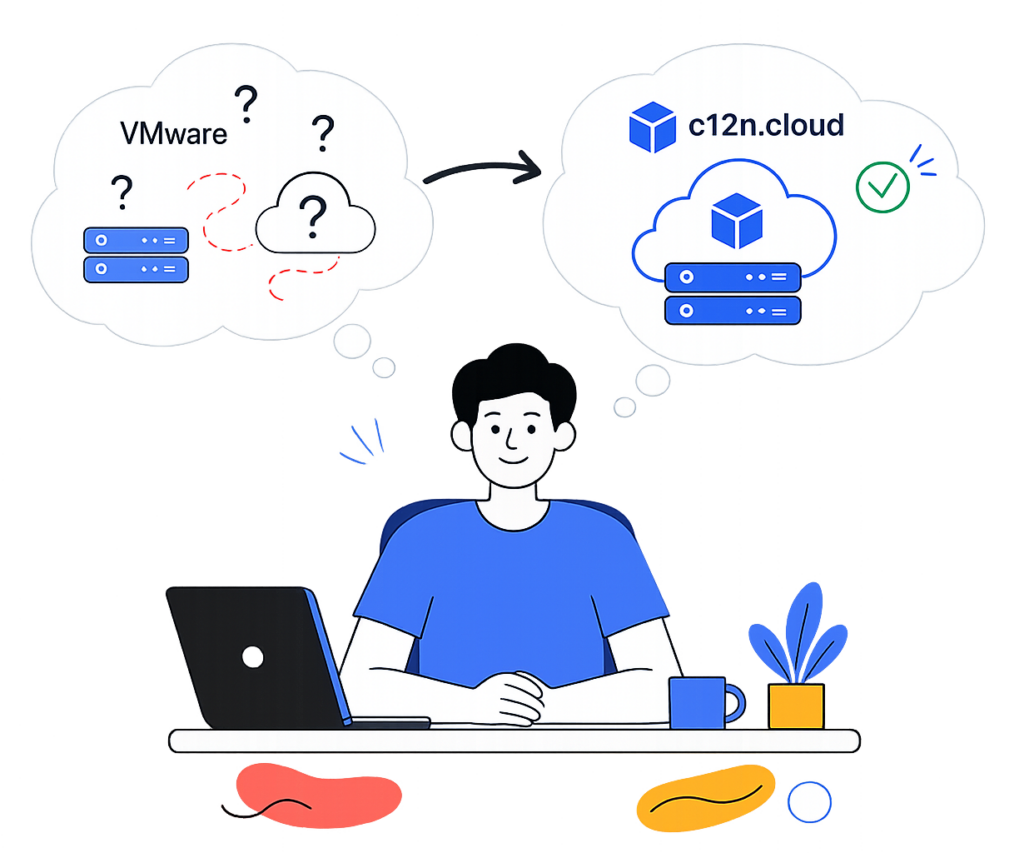
Migrate from VMware to OpenStack without vendor lock-in and rising licensing costs

We help companies safely migrate from VMware to OpenStack without major changes to their current infrastructure.

Enterprise OpenStack Infrastructure
for Moving from VMware

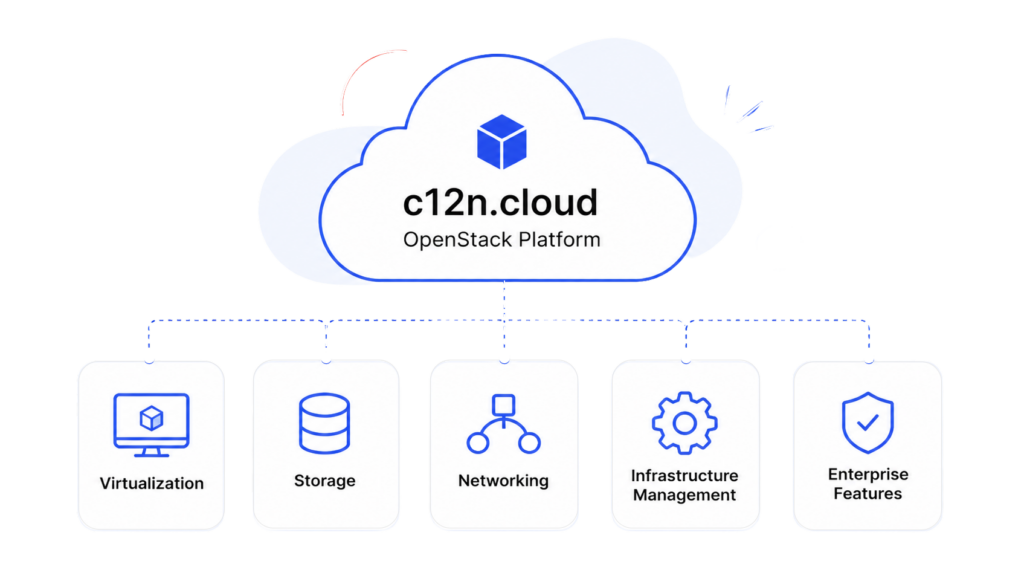
c12n.cloud is a production-ready OpenStack platform designed for companies building scalable private and hybrid cloud environments.

The platform combines virtualization, storage, networking, and infrastructure management tools for enterprise migration and long-term infrastructure scaling.

Why Migrate from VMware to OpenStack

Companies usually start evaluating OpenStack and open source cloud alternatives when they need more flexibility, infrastructure control, and predictable long-term scaling.

Common goals:
  • Reduce dependency on a single vendor
  • Build more flexible private/hybrid infrastructure
  • Improve infrastructure scalability
  • Prepare for Kubernetes and cloud-native workloads
  • Gain more control over infrastructure development
  • Eliminate recurring VMware licensing costs
Group 1 (4)

What can usually be preserved during migration

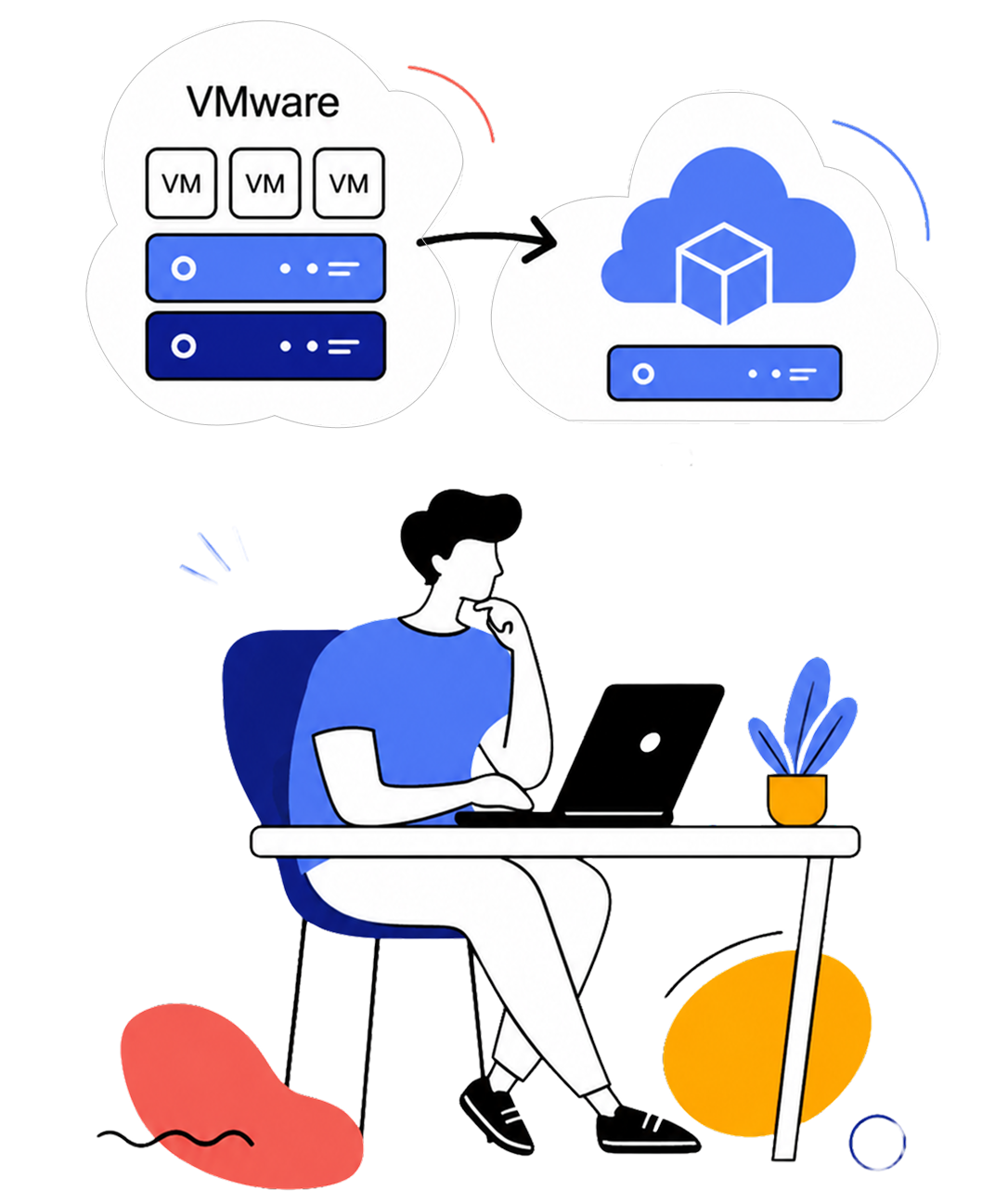
One of the biggest concerns during migration from VMwareis the feeling that the whole infrastructure must be rebuilt from scratch. In reality, migration is often done step by step, and the current hardware can be reused.

Depending on the current architecture, companies can often keep:
Existing VMs with all the data​

Parts of the network architecture

Current workloads

HCI and 3rd party storage

CI/CD processes

Operational practices

Monitoring & automation

Existing integrations
Migration also does not always happen “all at once”. 

In many cases, phased migration and parallel infrastructure operation are possible.

How VMware Migration Usually Works

Every infrastructure is different, but the migration process is usually done step by step — with risk evaluation, dependency analysis, and rollback options.

Typical migration flow:
1. Current infrastructure analysis
2. VMware dependency assessment
3. Target architecture planning
4. OpenStack environment preparation
5. Parallel infrastructure deployment
6. Gradual workload migration
7. Performance and failover testing

8. Post-migration support
During migration, companies usually evaluate:

Downtime scenarios

Migration risks

Rollback strategy

Migration options

Production readiness

Validate the target platform for enterprise workloads
c12n.cloud is production ready for private cloud

Virtualization
Storage
Networking
Kubernetes as a service
Automated operations

Enterprise Infrastructure Capabilities

Built for production private cloud environments​

Infrastructure capabilities
  • Highly-Available
  • VM Live Migration
  • Distributed storage
  • Load balancing
  • Kubernetes as a Service (KaaS)
  • GPU, vGPU, MIG support

Operations & Management
  • Distributed storage
  • Monitoring and alerting
  • Centralized logging
  • Hardware inventory management
  • Horizontal scaling to 100+ nodes

Storage & Networking
  • Block / Share / Object / S3-compatible storage
  • Over 30 supported storage solutions
  • Virtual networking / SDN
  • Redundant and HA architecture

OpenStack-Based Infrastructure Stack

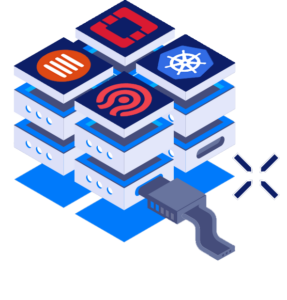
c12n.cloud is built on proven open-source infrastructure technologies, including OpenStack, Kubernetes, Ceph, ArgoCD, MaaS, Prometheus, and other tools used for scalable private cloud environments.
Tools to Migrate from VMware

Different migration tools can help reduce downtime and simplify workload transition from VMware to OpenStack environments.
Linux Logo
Virt-V2V

Open-source tool to convert VMs from VMware ESXi and XEN to KVM hypervisor. Part of Linux libguestfs library.
MigrateKit

Open-source tool by VEXXHOST to perform migrations from VMware to OpenStack with minimum downtime.

Coriolis

Paid tool by CloudBase for bi-directional VM migrations. Supported platforms include OpenStack and VMware.

VMware vs. c12n.cloud

IN-DEPTH COMPARISON 🔍
Num VMware c12n.cloud
1
VMware vSphere (Hypervisor ESXi)
OpenStack (Hypervisor KVM)

Key features:
(subject to subscription type and extra costs)

  • Web console
  • VM Live migration (vMotion)
  • Volume migration (Storage vMotion)
  • Clustering/HA for Control plane
  • Backup Integrations
  • Auto-rescheduling for VMs (VMHA)
  • Hot plug and extend (Net devices/volumes)
  • Site-to-site VM migration

Comparable features:
(subject to integration of additional components)

  • Web console – yes
  • Live migration – yes
  • Volume migration – yes
  • Control plane HA – yes
  • Backup-Integrations – yes
  • VMHA – yes(1)
  • Hot plug and extend (Networks/Volumes) – yes
  • Site-to-site VM migration – yes(2)

1 OpenStack provides VMHA functionality with Masakari
2 When OpenStack control plane stretched across DCs

2
VMware NSX (VCF + VMware Firewall)
OpenStack Neutron

Key features:

  • Switching (Layer 2 networks over Layer 3)
    • Within data center
    • Across data centers
  • Routing
    • Distributed routing
    • Active-active failover with physical routers
    • Static routing
    • Dynamic routing
    • IPv6 support
  • Virtual routing and forwarding (VRF)
    • Tenant isolation
    • Separate routing tables
    • NAT
    • EDGE Firewall
  • Quality of service control (QoS)
  • Security Groups
  • NSX gateway (L2 Gateway)
  • DPU-based acceleration
  • Federation and Multi-cloud networking

(consistent networking and security across DCs,
private/public cloud boundaries)

Comparable features:

  • Switching
    • Within data center – yes
    • Across data centers – yes(1)
  • Routing
    • Distributed routing – yes
    • Active-active failover with physical routers  – yes
    • Static routing – yes
    • Dynamic routing – yes
    • IPv6 support – yes
  • Virtual routing and forwarding (VRF)
    • Tenant isolation – yes
    • Separate routing tables – yes
    • NAT – yes
    • EDGE Firewall – no(2)
  • QoS – yes
  • Security Groups – yes
  • L2 Gateway – yes
  • DPU-based acceleration – yes
  • Federation and Multi-cloud networking – yes(3)

1 if OpenStack control plane stretched across DCs
2 OpenStack has FWaaS extension
3 Partially with BGP VPN interconnection extension

3
VMware NSX Advanced Load Balancer (by Avi Networks)
OpenStack Octavia

Key features:

  • L4-L7 load balancing
  • Container ingress gateway
  • HA architecture
  • Global server load balancing (GSLB)
  • Web application firewall (WAF)
  • Real-time application analytics
  • Multi-cloud load balancing
  • Application performance monitoring

Comparable features:

  • L4-L7 load balancing – yes
  • Container ingress gateway – yes
  • HA architecture – yes (stand-by)
  • Global server load balancing (GSLB) – no
  • Web application firewall (WAF) – no
  • Real-time application analytics – no
  • Multi-cloud load balancing – no
  • Application performance monitoring – no

AVI networks support integrations with previous versions of OpenStack

4
OpenStack Cinder + Manila (based on Ceph)

Key features:

  • Distributed Architecture:
    • Hyperconverged, integrates with vSphere
    • Based on local storage in ESXi hosts
    • Eliminates the need for external storage arrays
    • Cluster size: min 2 hosts, max: 64 hosts
    • Uses fast disks for caching and efficient placement
  • Data redundancy:
    • Distributed RAID, caching, and read/write optimizations
    • Provides fault tolerance at the storage policy level
  • Scalability:
    • Scailable with additional ESXi hosts to the cluster
    • Linear scalability of storage capacity and performance resources
  • Network speed: 25Gb/100Gb
  • File protocols: SMB, NFSv3, NFSv4.1
  • S3-Compatible Object Storage
  • Native snapshots

Multi-site cluster: vSAN Stretched Cluster

Comparable features:

  • Distributed Architecture – yes
    • Distributed architecture with a cluster of storage nodes running OSDs
    • Supports object, block, and file storage interfaces
    • Cluster size: min 6 hosts, max: 1000+ hosts
    • Does not require disks for caching
  • Data redundancy – yes
    • Data redundancy through replication (3 copies) and erasure coding
    • Replicates data across multiple OSDs or uses erasure coding for fault tolerance
  • Scalability – yes
    • Highly scailable, can scale out to tens of PBs of data
    • Allows adding or removing storage nodes dynamically without disruption
  • Network speed: 10Gb/25Gb/100Gb – yes
  • File protocols: CephFS, NFS via Manilayes
  • S3-Compatible Object Storage – yes
  • Native snapshots – yes
  • Multi-site: Ceph RBD Mirroringyes(1)

1 RBD mirroring affects performance due to journaling

5
VMware vCenter (VCF, VVF and vSphere STD)
OpenStack + Prometheus, MaaS, ArgoCD

Key features:

  • Centralized Control and Visibility
  • Web client and APIs
  • Inventory search 
  • Alerts and notifications
  • Dynamic resource allocation
  • Multi-tenant management

Comparable features:

  • Centralized control-plane – yes(1)
  • Web client and APIs – yes
  • Inventory search – yes
  • Alerts and notifications  – yes(2)
  • Dynamic resource allocation – yes(3)
  • Multi-tenant management – yes

1 When OpenStack control plane stretched across DCs
2 Based on Prometheus + Alertmanager with integrations
3 Provided by OpenStack Watcher

6
VMware Cloud Director (Cloud Management Platform)
OpenStack + Kubernetes

Key features:

  • Multi-site control
  • Cloud-native approach
    (Containers and VMs in the same environment)
  • Automation
  • Policy-driven Approach for Cloud management
  • Global Hybrid Cloud Management
  • Cloud Migration

Comparable features:

  • Multi-site control – yes(1)
  • Cloud-native approach – yes(2)
  • Automation – yes(3)
  • Policy-driven Approach – yes
  • Global Hybrid Cloud Management – no
  • Cloud Migration – yes(4)

1 Using Horizon region switch or a stretched control plane
(Alternatively using ManageIQ)
2 Requires Managed Kubernetes service installation (Gardener)
3 Via Terraform, Ansible, Heat or Openstack SDK
4 Using third-party migration software

7
VMware Aria Operations for Logs (vRealize Log Insight)
Elasticsearch + Logstash + Kibana

Key features:

  • Collect logs in files
  • Send logs to centralized system
  • Provide interface to search and analyze logs

Comparable features:

  • Collect logs in files – yes
  • Send logs to centralized system – yes
  • Interface for search and analysis – yes
8
VMware Aria Automation
OpenStack + ArgoCD

Key features:

  • Multi-cloud environments management
  • DevOps for infrastructure
  • Infrastructure as code and Kubernetes automation
  • Network automation
  • SecOps for infrastructure
  • SaltStack

Comparable features:

  • Multi-cloud environments management – yes(1)
  • DevOps for infrastructure – yes
  • Infrastructure as code and Kubernetes automation – yes
  • Network automation – yes
  • SecOps for infrastructure – yes
  • Ansible + GitOps approach – yes

1 Via GitOps approach based on ArgoCD

9
VMware Aria Operations for Networks
OpenStack Neutron + Hubble + SkyDive

Key features:

  • Networking
    • End-to-end troubleshooting traffic and path
    • Network assurance and verification
    • Overlay and underlay network troubleshooting
  • Applications
    • Application discovery and plan for migration
    • Measure application latency and performance
    • Finding network bottlenecks for application
    • Analyze traffic 
  • Security
    • Troubleshot security
    • FW policies and network segmentation recommendations
    • Dependencies map to reduce risk during migrations

Comparable features:

  • Networking
    • End-to-end troubleshooting traffic and path yes(1)
    • Network assurance and verification  yes
    • Overlay and underlay network troubleshooting yes(1)
  • Applications
    • Application discovery and plan for migration – no
    • Measure application latency and performance – no
    • Finding network bottlenecks for application – no
    • Analyze traffic yes
  • Security
    • Troubleshot security – no
    • FW policies and network segmentation recommendations  yes
    • Dependencies map to reduce risk during migrations – no

1 Underlay network with Cilium Hubble, overlay (cloud) networks with SkyDive

10
VMware Tanzu (Container Orchestration)
OpenStack + Gardener

Key features:

  • Kubernetes cluster management
  • Multi-cloud
  • Application catalog
  • Service Mesh
  • Observability

Comparable features:

  • Kubernetes cluster management – yes(1)
  • Multi-cloud – no
  • Application catalog – yes(2)
  • Service Mesh – yes
  • Observability – yes

1 Using either Magnum or Gardener
2 Any Helm based application, optionally via KubeApps

11
VMware HCX (Application Mobility Platform)
OpenStack + Coriolis

Key features:

  • Workload optimization
  • Inter cloud live migration
  • Bulk migration
  • Cloud-to-cloud migration
  • Disaster protection
  • Traffic engineering

Comparable features:

  • Workload optimization – yes(1)
  • Inter cloud live migration – yes
  • Bulk migration – yes
  • Cloud-to-cloud migration  – yes(2)
  • Disaster protection – yes(3)
  • Traffic engineering – no

1 Provided by OpenStack Watcher
2 Using either Coriolis or Cyclone
3 Using Coriolis, Storware or other tools

12
VMware Horizon (Virtual Desktop Infrastructure)
OpenStack + OpenUDS

Key features:

  • Remote desktops
  • Hybrid cloud management

Comparable features:

  • Remote desktops – yes
  • Hybrid cloud management – no
13
VMware SQL (Database as Service)
OpenStack Trove

Key features:

  • PostgreSQL support
  • MySQL support

Comparable features:

  • PostgreSQL support – yes
  • MySQL support – yes
  • MongoDB support – yes
  • Redis support – yes
  • Cassandra support – yes

Need help moving away from VMware?

Take control of your infrastructure and pay zero license fees with our
Open Source VMware Alternative Solution
cloud servises company picture

Frequently Asked Questions About Migration from VMware

We’d love to hear from you and help to solve your challenges! Wherever you are in your Infra journey, we have the expertise to make it a smooth experience.

Do we need to rebuild the whole infrastructure from scratch?

Not necessarily. In many cases, migration can be done gradually while keeping part of the existing hardware, workloads, and operational processes.

Is it possible to migrate step by step instead of all at once?

Yes! ✅ Many migration scenarios use phased transition and parallel infrastructure operation to reduce risks and downtime.

Is OpenStack stable enough for enterprise infrastructure?

OpenStack is widely used in enterprise private cloud environments, especially in projects that require scalability, infrastructure flexibility, and reduced vendor dependency.

What happens to our existing virtual machines?

Depending on the architecture and workloads, existing VMs can often be migrated without rebuilding the whole environment from scratch.

Still have questions?

Contact us to discuss your migration scenario from VMware and infrastructure requirements.


    Planning a Migration from VMware?​​

    Tell us about your infrastructure and migration goals, and we’ll discuss possible transition scenarios.